
SmartOffice for construction
Full project visibility from procurement to payment
AP Automation ensures effortless invoice processing, so you can focus on building excellence, not paperwork.

trusted by companies just like yours








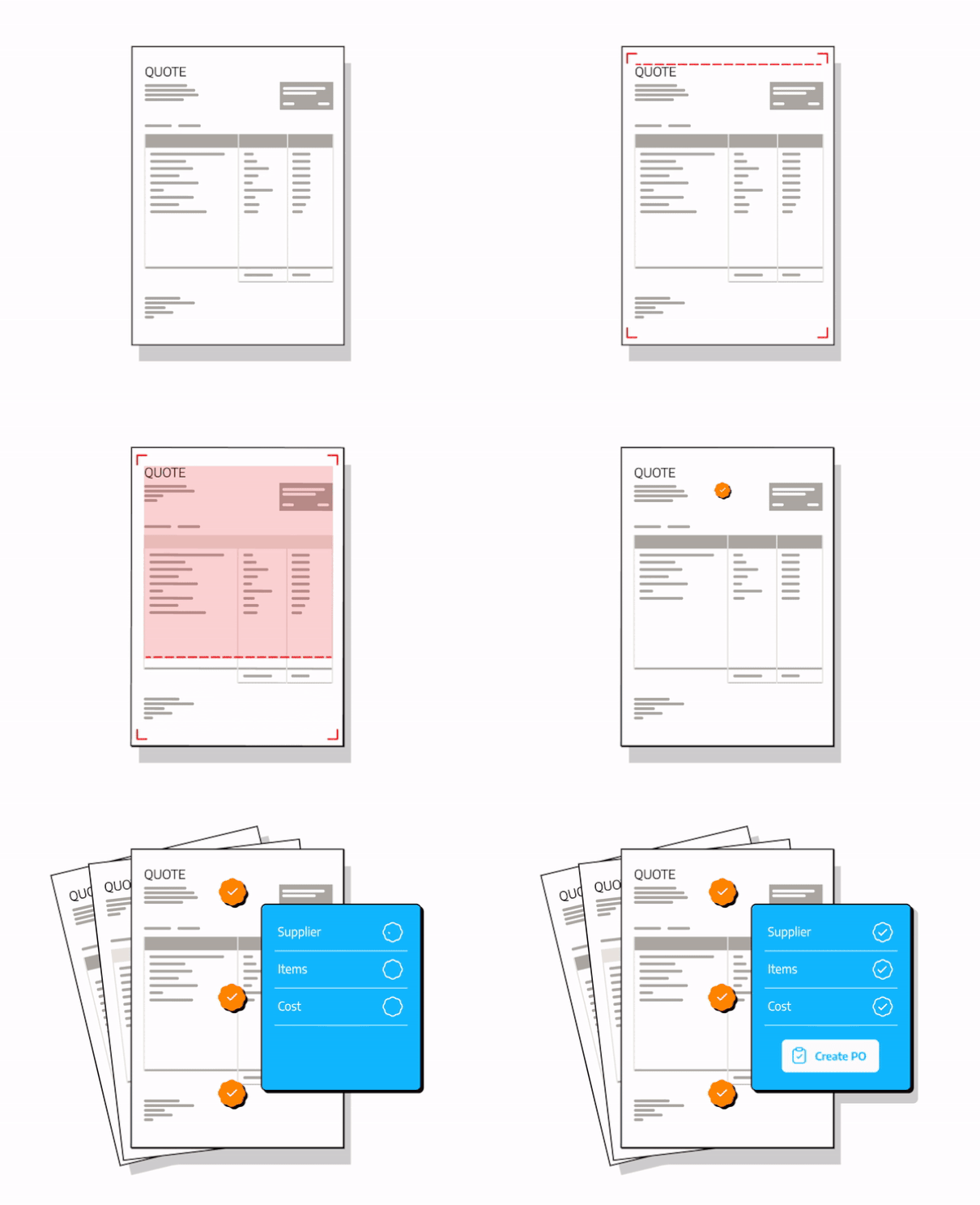
Automatically cross-check price increases and keep your job on budget
Price monitoring not only keeps your construction project on budget but also saves you valuable time, so you can focus on what matters most – delivering projects on schedule and within budget.
Effectively manage suppliers and payments
Stop wasting your time on mundane paperwork and time-consuming tasks and focus on growing and building your construction company.
Track the spend per contract.
Easily integrate new suppliers, products and services.
Multiple logins to manage multiple sites.
Features & Benefits
Transforming manual tasks into automated efficiency

Store & Search
Securely stores all invoices for 7 years with advanced search functionality.

Intuitive Dashboard
Our user-friendly dashboard provides real-time insights into your invoice approval process, ensuring full visibility.

Document Tracking
Easily monitor invoice approval status, providing detailed tracking of approval processes.

Delivery Confirmation
Ensure accurate deliveries with our delivery confirmation feature, resolving issues with supplier shortages with ease.

Multiple Logins
Manage multiple company accounts effortlessly with our convenient multiple login feature.

Drastic Savings
Enjoy significant savings in time, money, and effort by automating invoice processing and reconciliation.
Supercharge your accounting software
We integrate seamlessly with the leading Accounting & ERP platforms to ensure a streamlined process for you










Questions? We have answers.
How does eliminating paper processes save my company money?
- Material and Storage Costs: Eliminating paper saves on expenses for printing, ink, and physical storage space.
- Efficiency Gains: Digital processes are faster and more accessible, reducing time spent on tasks so you can focus on your core business.
- Error Reduction: Digital systems minimize mistakes like misfiling or loss.
- Workflow Automation: Tasks can be automated, speeding up processes.
- Collaboration Improvement: Digital documents enable easier team collaboration.
- Environmental Benefits: Going paperless aligns with sustainability goals.
- Compliance Risk Reduction: Digital systems offer stricter controls, lowering compliance risks and associated costs.
What is AP Automation?
What is a Purchase Order (PO)?
A Purchase Order is a formal document sent from a buyer to a supplier authorizing the purchase of specific products or services under defined terms and conditions.
Will SmartOffice work with our accounting and financial software?
Yes, SmartOffice can be connected to most accounting systems. The platform has over 40 direct integrations with. We also create custom exports and imports in CSV or XLS for all viable systems.
Can you integrate with other software?
We have integrations with POS systems, inventory management systems, logistics systems and many other vertical software systems.

Stop wasting your time!
Say goodbye to tedious manual tasks and automate your file processing with SmartOffice